
3
Ready-made options
Smaller, balanced, or closer to the original. Pick one with a tap, no settings needed.
Shrinka makes your video several times smaller. The compressed copy takes the original's place, and the video never leaves your device.
iPhone and iPad, iOS 18 or later. Runs on Mac with Apple silicon.
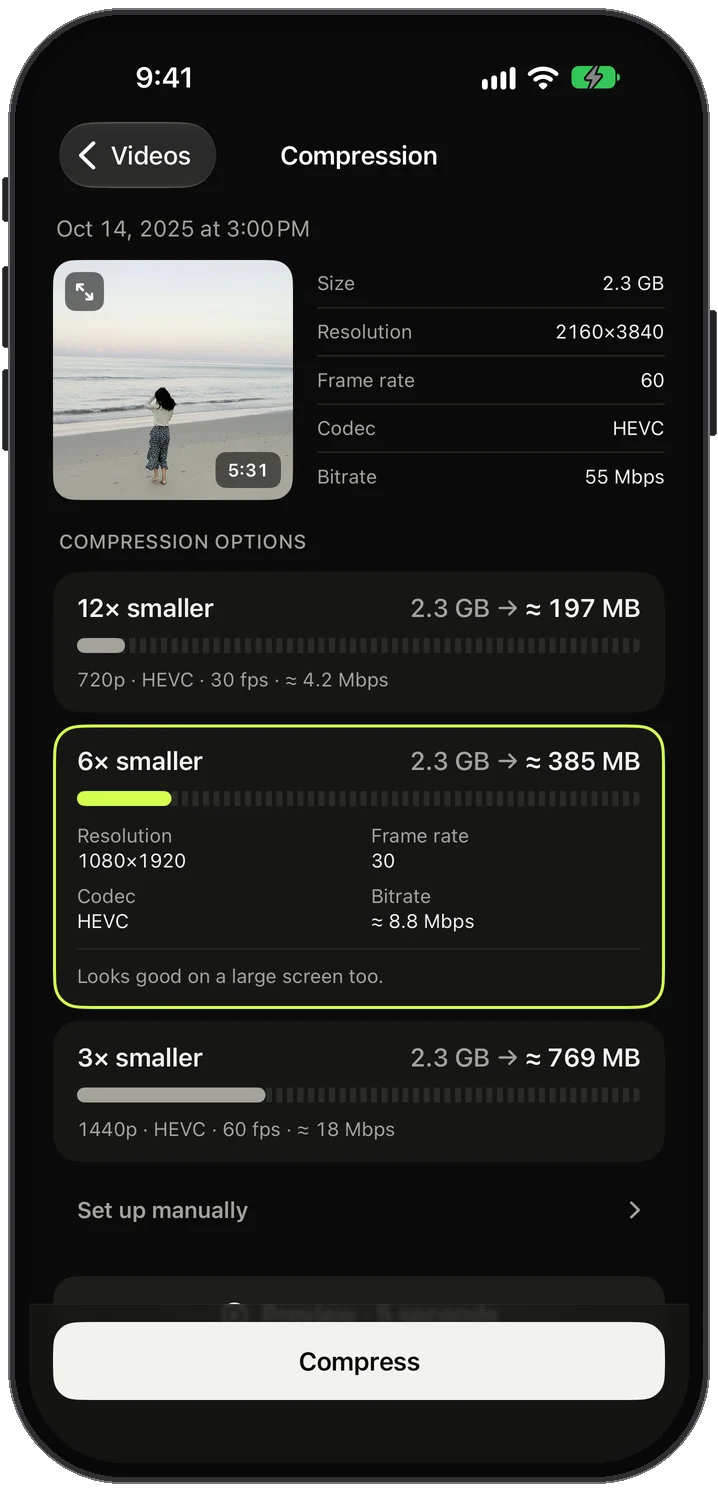
The result is known before you start: how much space the video will take and how it will look.
Each option shows how many times smaller the video gets and how much space it will take. Preview a clip to check the quality before compressing.
Resolution, frame rate, bitrate, codec, and file format. The size estimate updates with every change.
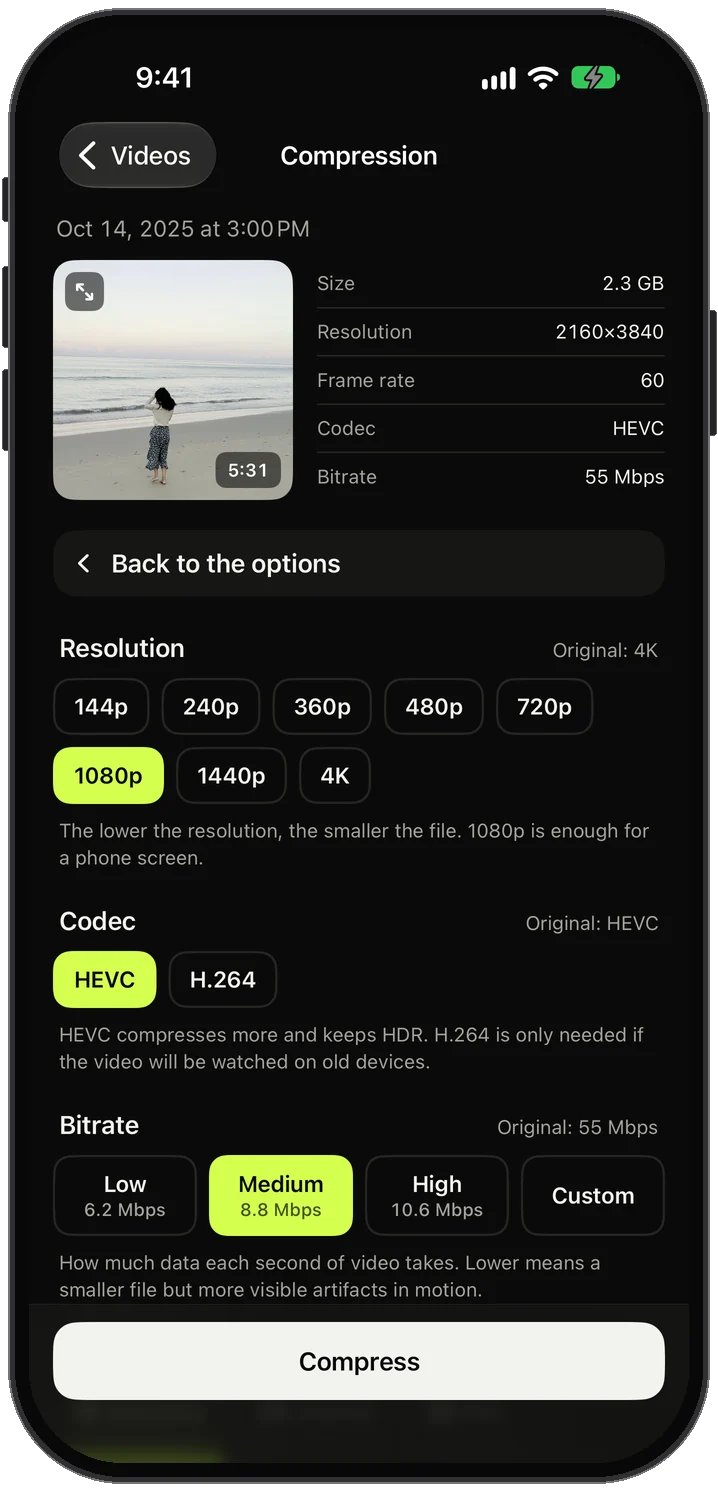
Smaller, balanced, or closer to the original. Pick one with a tap, no settings needed.
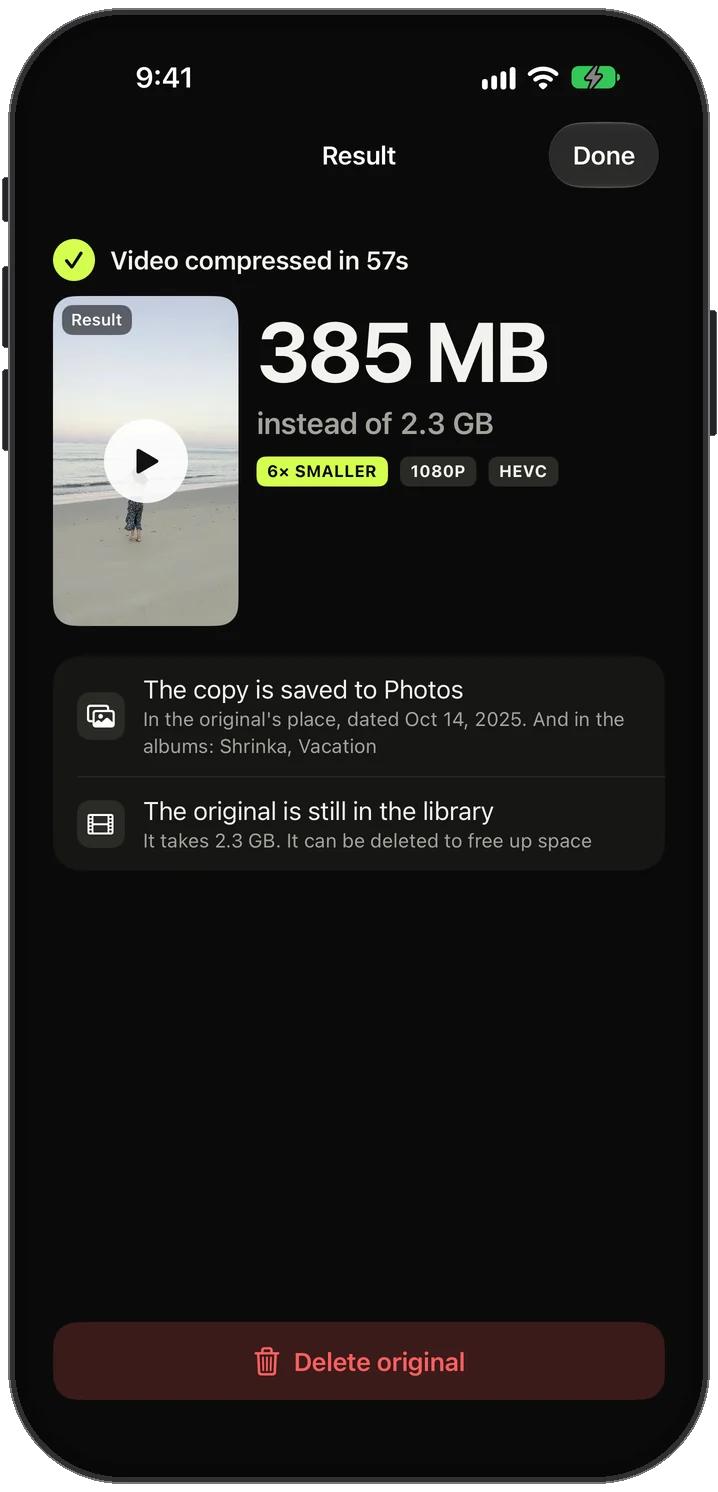
The compressed copy takes the original's place in your library: same date, same albums. Favorites, HDR, location, and camera details carry over. Delete the original with one button.
Videos are processed on your device and never uploaded. No account needed.
Pick several videos, or everything from a date range, with one set of settings. The Large only filter shows your largest videos, and the ones already compressed are marked and skipped.
Tap Share on a video in Photos and pick Shrinka.
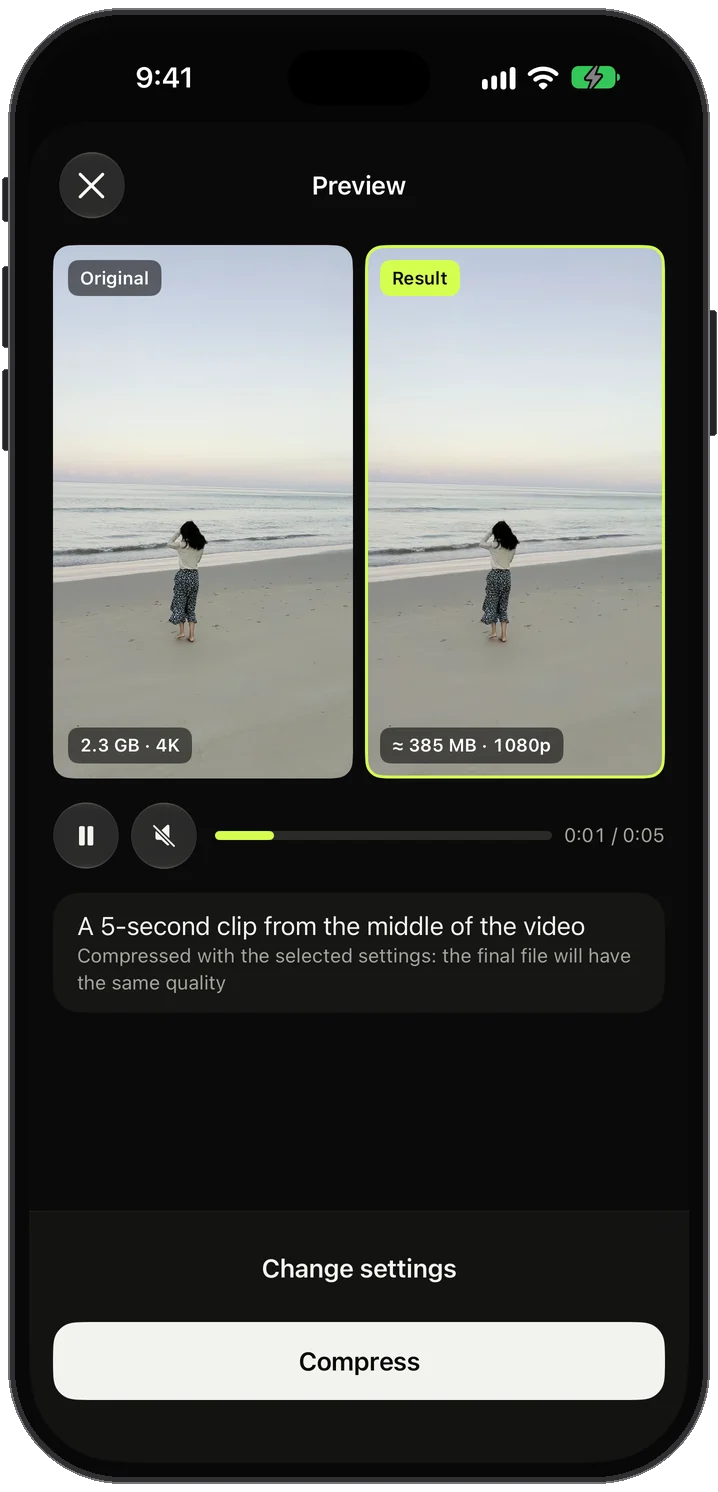
Preview puts the original and the result side by side while nothing has been compressed yet.
An online compressor needs your video on its server and sends a file back. Shrinka compresses on the device and puts the copy where the original was.
| Online compressor | Shrinka | |
|---|---|---|
| Where the video is compressed | On a server | On your device |
| Where the video goes | To the service's server | Stays on your device |
| Internet needed | Yes, to upload and download | Only for videos stored in iCloud |
| Where the result lands | In Downloads, as a separate file | In your library, in the original's place |
| Albums and Favorites | Set again by hand | Kept |
The library shows every video with its size. Turn on Large only to see just the biggest ones.
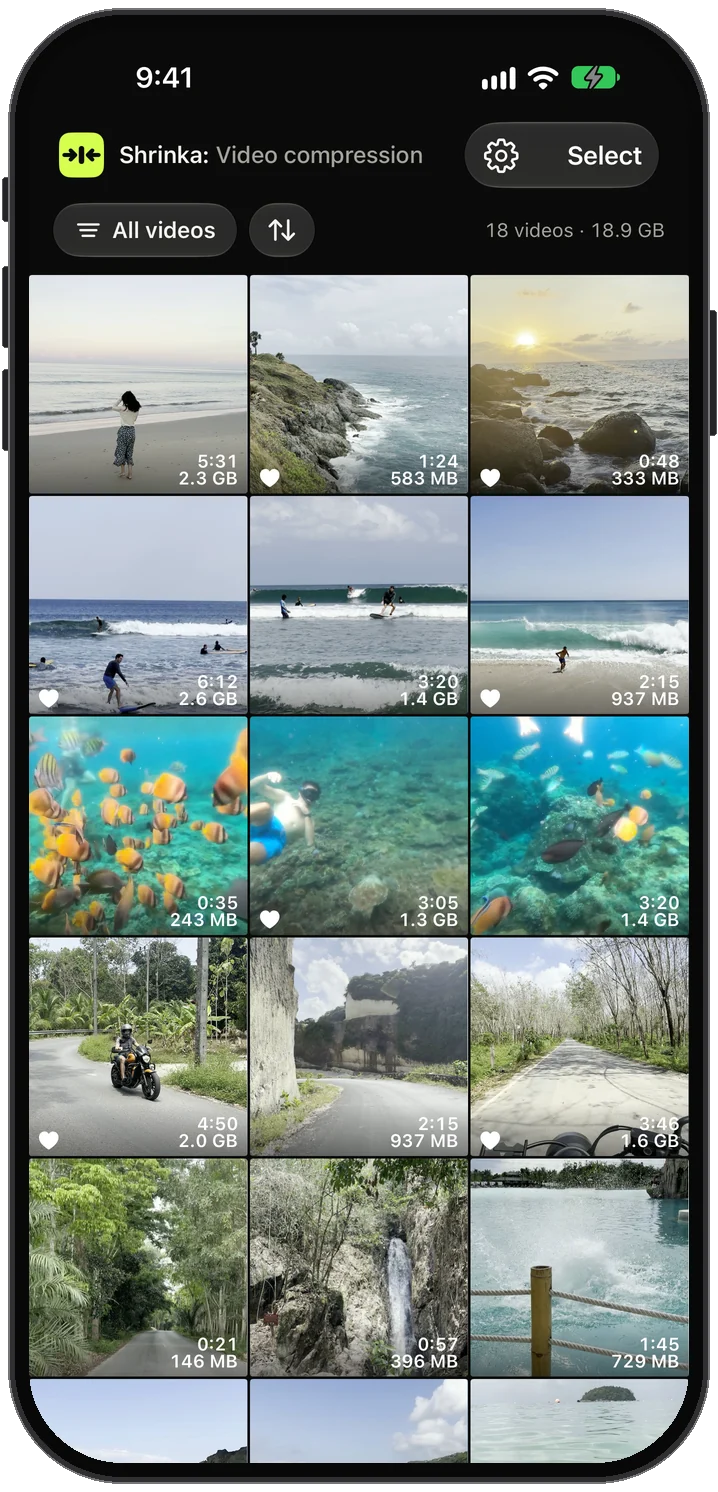
Three options, each with the size the video will take. Preview a 5-second clip to check the quality.
The compressed copy appears in your library with the same date and albums. Delete the original when you are ready.
Download it and compress without signing up: every feature is available right away. When you need more, Shrinka Pro removes the monthly limit.
How many are left this month is shown in the app.
Prices in your currency are shown in the app. Cancel anytime in your App Store settings.
The size and quality are shown before you compress, and the video never leaves your device.